Deleting a custom endpoint
Delete a custom endpoint using the AWS Management Console, AWS CLI, or the Amazon RDS API.
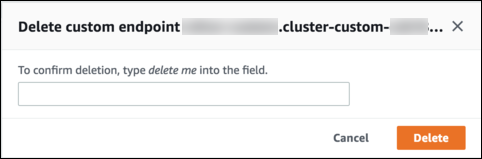
To delete a custom endpoint with the AWS Management Console, go to the cluster detail page, select the appropriate custom endpoint, and select the Delete action.
To delete a custom endpoint with the AWS CLI, run the delete-db-cluster-endpoint command.
The following command deletes a custom endpoint. You don't need to specify the associated cluster, but you must specify the region.
For Linux, macOS, or Unix:
aws rds delete-db-cluster-endpoint --db-cluster-endpoint-identifiercustom-end-point-id\ --regionregion_name
For Windows:
aws rds delete-db-cluster-endpoint --db-cluster-endpoint-identifiercustom-end-point-id^ --regionregion_name
To delete a custom endpoint with the RDS API, run the DeleteDBClusterEndpoint operation.