Services or capabilities described in AWS documentation might vary by Region. To see the differences applicable to the AWS European Sovereign Cloud Region, see the AWS European Sovereign Cloud User Guide.Viewing your AWS account ID
If you are signed into the console, you can view the account ID for your AWS account
using the following methods.
To view your AWS account ID
- Console
-
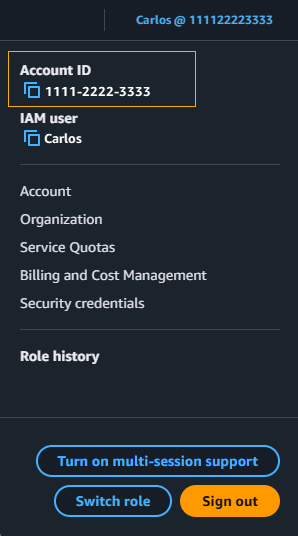
The AWS account ID is displayed when you go to the IAM
Dashboard in the AWS account section. You can
also view your account ID in the navigation bar at the upper right. Choose
your user name, and the account ID is displayed above your user name.
- AWS CLI
-
Use the following command to view your user ID, account ID, and your user
ARN:
- API
-
Use the following API to view your user ID, account ID, and your user
ARN: