Services or capabilities described in AWS documentation might vary by Region. To see the differences applicable to the AWS European Sovereign Cloud Region, see the AWS European Sovereign Cloud User Guide.AWS Audit Manager is no longer open to new customers. Existing customers
can continue to use the service as normal. For more information, see
AWS Audit Manager availability change.
Enabling AWS Audit Manager
Now that you have completed the prerequisites for setting up Audit Manager, you can enable the
service in your AWS environment.
On this page you'll learn how to enable Audit Manager using the Audit Manager console, the AWS Command Line Interface
(AWS CLI), or the Audit Manager API. Choose the method that best suits your needs, and follow the
corresponding steps to get Audit Manager up and running.
Prerequisites
Make sure that you completed all of the tasks that are described in Prerequisites for setting up AWS Audit Manager.
Procedure
You can enable Audit Manager using the AWS Management Console, the Audit Manager API, or the AWS Command Line Interface (AWS CLI).
- Audit Manager console
-
To enable Audit Manager using the console
Open the AWS Audit Manager console at https://eusc-de-east-1.console.amazonaws-eusc.eu/auditmanager/home.
-
Use the credentials of your IAM identity to sign in.
-
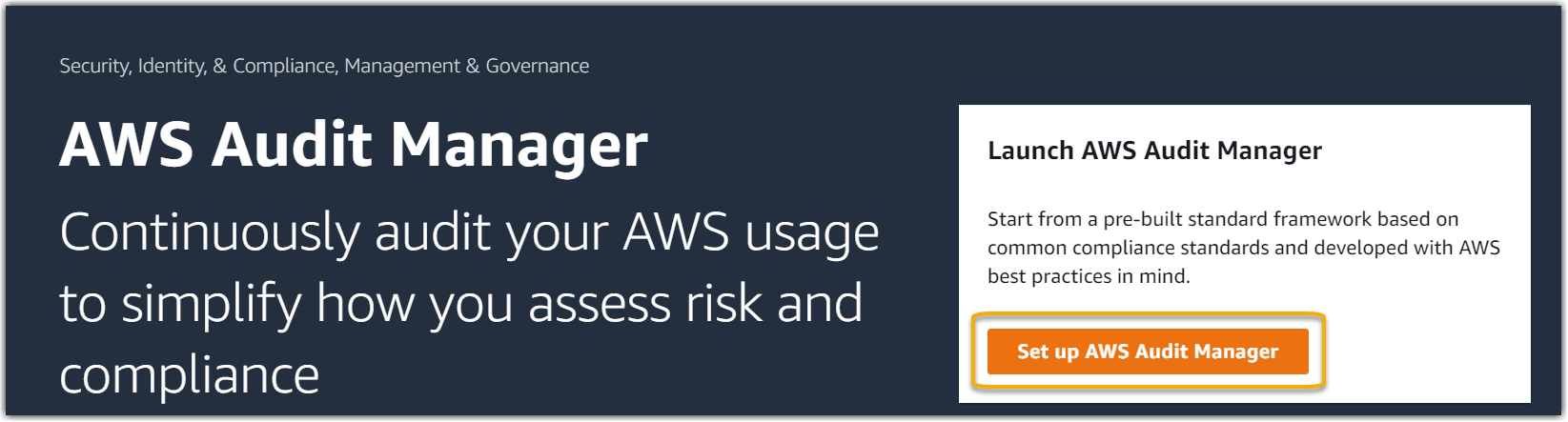
Choose Set up AWS Audit Manager.
-
Under Permissions, no action is required. This is
because Audit Manager uses a service-linked role to connect to data sources on your
behalf. You can review the service-linked role by choosing
View IAM service-linked role permission.
-
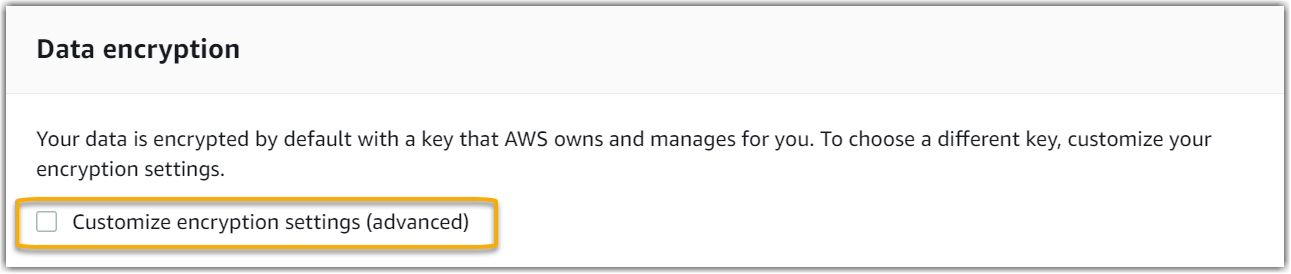
Under Data encryption, the default option is for
Audit Manager to create and manage an AWS KMS key for securely storing your
data.
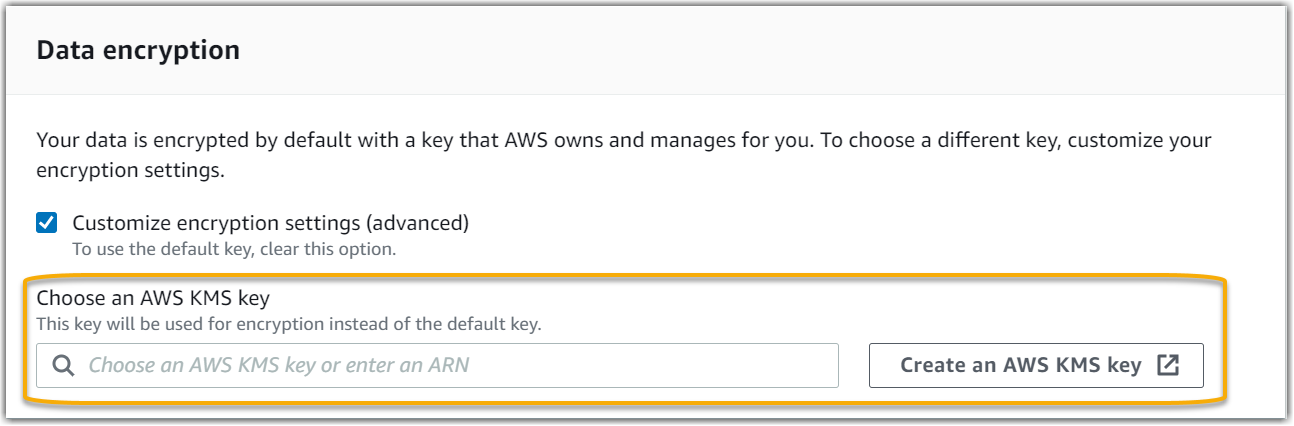
If you want to use your own customer managed key to encrypt data in Audit Manager, select
the check box next to Customize encryption settings
(advanced). You can then choose an existing KMS key or
create a new
one.
-
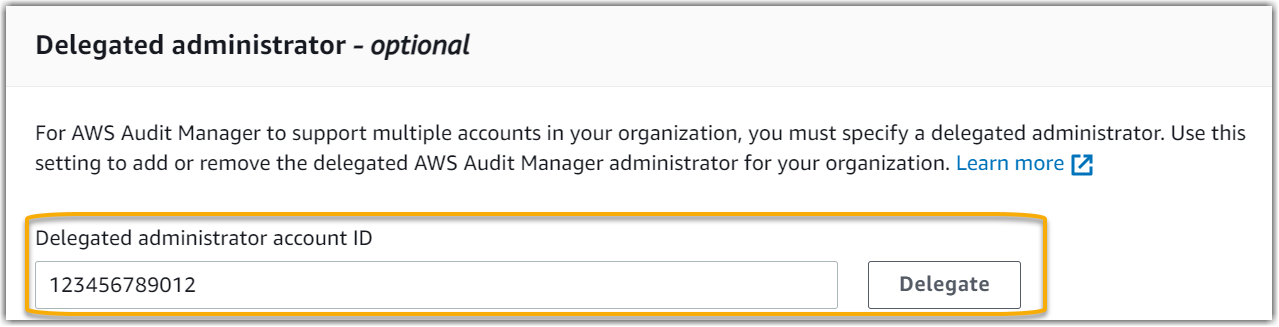
(Optional) Under Delegated administrator -
optional, you can specify a delegated administrator
account if you want Audit Manager to run assessments for multiple accounts.
For more information and recommendations, see Enable and set up AWS Organizations.
-
(Optional) Under AWS Config –
optional, we recommend that you enable AWS Config for an
optimal experience. This enables Audit Manager to generate evidence using
AWS Config rules. For instructions and recommended settings, see Enable and set up AWS Config.
-
(Optional) Under Security Hub CSPM – optional, we recommend
that you enable Security Hub CSPM for an optimal experience. This enables Audit Manager to
generate evidence using Security Hub CSPM checks. For instructions and recommended
settings, see Enable and set up AWS Security Hub CSPM.
-
Choose Complete setup to finish the setup
process.
- AWS CLI
-
To enable Audit Manager using the AWS CLI
In the command line, run the register-account command using the following setup
parameters:
-
--kms-key (optional) – Use this parameter
to encrypt your Audit Manager data using your own customer managed key. If you
don't specify an option here, Audit Manager creates and manages an
AWS KMS key on your behalf for the secure storage of your
data.
-
--delegated-admin-account (optional) – Use
this parameter to designate your organization’s delegated
administrator account for Audit Manager. If you don't specify an option
here, no delegated administrator is registered.
Input example (replace the placeholder text
with your own information):
aws auditmanager register-account \
--kms-key arn:aws:kms:us-west-2:111122223333:key/1234abcd-12ab-34cd-56ef-1234567890ab \
--delegated-admin-account 111122224444
Output example:
{
    "status": "ACTIVE"
}
For more information about the AWS CLI and for instructions on installing the
AWS CLI tools, see the following in the AWS Command Line Interface User
Guide.
- Audit Manager API
-
To enable Audit Manager using the Audit Manager API
Use the RegisterAccount operation with the following setup
parameters:
-
kmsKey (optional) – Use this parameter to
encrypt your Audit Manager data using your own customer managed key. If you don't
specify an option here, Audit Manager creates and manages an AWS KMS key
on your behalf for the secure storage of your data.
-
delegatedAdminAccount (optional) – Use this
parameter to specify your organization’s delegated administrator
account for Audit Manager. If you don't specify one, no delegated
administrator is registered.
Input example (replace the placeholder text
with your own information):
{
    "kmsKey":"arn:aws:kms:us-west-2:111122223333:key/1234abcd-12ab-34cd-56ef-1234567890ab",
    "delegatedAdminAccount":"111122224444"
}
Output example:
{
  "status": "ACTIVE"
}
Next steps
After you enable Audit Manager, we recommend that you set up some recommended features and
integrations for an optimal experience. For more information, see
Enabling the recommended features and AWS services for AWS Audit Manager.