Start running builds automatically (AWS CLI)
If your source code is stored in a GitHub or a GitHub Enterprise Server repository, you can use GitHub webhooks to have AWS CodeBuild rebuild your source code whenever a code change is pushed to the repository.
Run the create-webhook command as follows:
aws codebuild create-webhook --project-name<project-name>
<project-name> is the name of the build project that
contains the source code to be rebuilt.
For GitHub, information similar to the following appears in the output:
{
  "webhook": {
    "url": "<url>"
  }
}
<url> is the URL to the GitHub webhook.
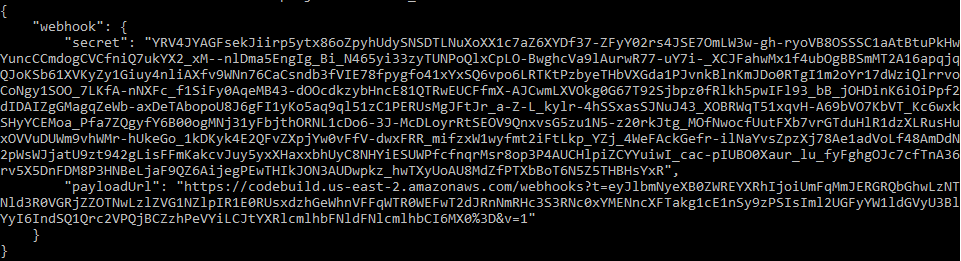
For GitHub Enterprise Server, information similar to the following appears in the output:
-
Copy the secret key and payload URL from the output. You need them to add a webhook in GitHub Enterprise Server.
-
In GitHub Enterprise Server, choose the repository where your CodeBuild project is stored. Choose Settings, choose Hooks & services, and then choose Add webhook.
-
Enter the payload URL and secret key, accept the defaults for the other fields, and then choose Add webhook.