Prompt caching for faster model inference
Prompt caching is an optional feature that you can use with supported models on Amazon Bedrock to reduce inference response latency and input token costs. Amazon Bedrock supports two types of prompt caching: Implicit Prompt Caching and Explicit Prompt Caching. Support for each type varies by model and API.
Prompt caching can help when you have workloads with long and repeated contexts that are frequently reused for multiple queries. For example, if you have a chatbot where users can upload documents and ask questions about them, it can be time consuming for the model to process the document every time the user provides input. With prompt caching, you can cache the document so that future queries containing the document don't need to reprocess it.
Types of prompt caching
The two types differ in how reusable prompt content is selected:
| Type | How it works | Request configuration |
|---|---|---|
| Implicit Prompt Caching | Amazon Bedrock and the model automatically attempt to reuse eligible prompt prefixes. | No cache controls or breakpoints are required in your request. |
| Explicit Prompt Caching | You opt in by adding model-specific cache controls or breakpoints. | Your request must include the cache controls supported by the model and API. |
Implicit Prompt Caching
Implicit Prompt Caching automatically attempts to reuse eligible prompt prefixes without requiring cache controls in your request. Keep static content at the beginning of your prompt and dynamic content at the end to increase the likelihood of an exact prefix match.
Implicit Prompt Caching is best effort. Repeating an identical prompt doesn't guarantee a cache hit, and cache-hit rates can vary.
Explicit Prompt Caching
Explicit Prompt Caching lets you opt in to caching with model-specific cache controls or cache checkpoints. Cache checkpoints are markers that define the contiguous subsection of your prompt that you want to cache. Prompt prefixes should remain static between requests. Changes to a prompt prefix in subsequent requests result in cache misses.
Cache checkpoints have a minimum and maximum number of tokens, depending on the
model. You can only create a cache checkpoint if your total prompt prefix meets the
minimum number of tokens. Minimums currently range from 512 to 4,096 tokens per
cache checkpoint. For the minimum that applies to your model, see
Supported models, Regions, and explicit caching limits or the
model's model card. The minimum applies cumulatively to the entire
prompt prefix before each checkpoint, including, where applicable, content in the
tools, system, and messages fields. There
is no minimum number of tokens required between cache checkpoints. For a model with
a 1,024-token minimum, you can define additional checkpoints fewer than 1,024 tokens
apart as long as the total prompt prefix before each checkpoint contains at least
1,024 tokens. If you add a cache checkpoint before the total prompt prefix meets the
minimum number of tokens, your inference still succeeds, but your prefix isn't
cached.
The cache has a Time To Live (TTL), which resets with each successful cache hit. During this period, the context in the cache is preserved. If no cache hits occur within the TTL window, your cache expires. Many models support a 5-minute TTL. Check the model card for your model to see the exact TTL conditions.
Explicit Prompt Caching provides control over which prompt content is eligible for caching. It doesn't guarantee that an eligible request results in a cache hit. A cache entry is stored on the server that processed the request, and a later request can read it only if that server handles it before the entry expires. Requests that are served by a different server, such as one in another Region, or that are sent before an identical request has started its response, write a new entry instead of reading one.
Billing for cached tokens
For both Implicit Prompt Caching and Explicit Prompt Caching, input tokens are
billed at one of three rates. Tokens written to the cache are billed at the model's
cache-write rate, which, depending on the model, can be higher than the standard
input token rate. Tokens read from the cache are reported as cached tokens and
billed at the model's cache-read rate. All other input tokens are billed at the
standard input token rate. Implicit cache reuse on Amazon Nova models is an exception;
see Supported models, Regions, and explicit caching limits.
For more information, see the
Amazon Bedrock pricing page
Important
Support for prompt caching doesn't guarantee a cache hit for any request. Check the cache usage fields in the model response to determine whether tokens were read from or written to cache.
You can use prompt caching when you run inference in Amazon Bedrock with supported models. Availability of each prompt caching type varies by model and API. Prompt caching is available through the following Amazon Bedrock features:
- Converse and ConverseStream APIs
-
You can carry on a conversation with a supported model. For Explicit Prompt Caching, specify cache checkpoints in your prompts.
- InvokeModel and InvokeModelWithResponseStream APIs
-
You can submit single-prompt requests to supported models. For Explicit Prompt Caching, enable prompt caching and specify your cache checkpoints.
- Prompt Caching with Cross-region Inference
-
Prompt caching can be used in conjunction with cross region inference. Cross-region inference automatically selects the optimal AWS Region from the Regions in your inference profile to serve your inference request, thereby maximizing available resources and model availability. At times of high demand, these optimizations may lead to increased cache writes.
- Amazon Bedrock Prompt management
-
When you create or modify a prompt, you can choose to enable prompt caching. Depending on the model, you can cache system prompts, system instructions, and messages (user and assistant). You can also choose to disable prompt caching.
Note
Prompt caching is only supported for on-demand inference endpoints. It is not supported with the batch inference API.
For models that support Explicit Prompt Caching, the APIs provide granular control over the prompt cache. You can set individual cache checkpoints within your prompts and add checkpoints up to the maximum allowed for the model. For more information, see Supported models, Regions, and explicit caching limits.
Supported models, Regions, and explicit caching limits
Prompt caching support varies by model and API. Model cards identify whether a model supports Implicit Prompt Caching, Explicit Prompt Caching, or both. Prompt caching is available in all AWS Regions where the supported models are available. To check model availability by Region, see Regional availability by models.
The following table lists models that support Explicit Prompt Caching, along with their token minimums, maximum number of cache checkpoints, and fields that allow cache checkpoints.
To see which prompt caching types a model supports, refer to Models at a glance, and then choose the model that you're interested in.
| Model name | Model ID | Release Type | Minimum number of tokens per cache checkpoint | Maximum number of cache checkpoints or writes per request | Supported TTL | Fields that accept prompt cache checkpoints |
|---|---|---|---|---|---|---|
Claude Haiku 5.5 |
anthropic.claude-haiku-5-5 |
Generally Available |
512 |
4 |
5 minutes, 1 hour |
|
Claude Sonnet 5.5 |
anthropic.claude-sonnet-5-5 |
Generally Available |
512 |
4 |
5 minutes, 1 hour |
|
Claude Opus 5.5 |
anthropic.claude-opus-5-5 |
Generally Available |
512 |
4 |
5 minutes, 1 hour |
|
Claude Fable 5.1 |
anthropic.claude-fable-5-1 |
Generally Available |
512 |
4 |
5 minutes, 1 hour |
|
Claude Mythos 5.1 |
anthropic.claude-mythos-5-1 |
Gated |
512 |
4 |
5 minutes, 1 hour |
|
Claude Fable 5 |
anthropic.claude-fable-5 |
Generally Available |
512 |
4 |
5 minutes, 1 hour |
|
Claude Mythos 5 |
anthropic.claude-mythos-5 |
Gated |
512 |
4 |
5 minutes, 1 hour |
|
Claude Opus 5 |
anthropic.claude-opus-5 |
Generally Available |
512 |
4 |
5 minutes, 1 hour |
|
Claude Opus 4.8 |
anthropic.claude-opus-4-8 |
Generally Available |
1,024 |
4 |
5 minutes, 1 hour |
|
Claude Opus 4.7 |
anthropic.claude-opus-4-7 |
Generally Available |
4,096 |
4 |
5 minutes, 1 hour |
|
Claude Opus 4.6 |
anthropic.claude-opus-4-6-v1 |
Generally Available |
4,096 |
4 |
5 minutes, 1 hour |
|
Claude Opus 4.5 |
anthropic.claude-opus-4-5-20251101-v1:0 |
Generally Available |
4,096 |
4 |
5 minutes, 1 hour |
|
Claude Sonnet 5 |
anthropic.claude-sonnet-5 |
Generally Available |
1,024 |
4 |
5 minutes, 1 hour |
|
Claude Sonnet 4.6 |
anthropic.claude-sonnet-4-6 |
Generally Available |
1,024 |
4 |
5 minutes, 1 hour |
|
Claude Haiku 4.5 |
anthropic.claude-haiku-4-5-20251001-v1:0 |
Generally Available |
4,096 |
4 |
5 minutes, 1 hour |
|
GPT-6.1 Sol |
openai.gpt-6.1-sol |
Generally Available |
1,024 |
4 cache writes |
30 minutes |
|
GPT-6 Astra |
openai.gpt-6-astra |
Generally Available |
1,024 |
4 cache writes |
30 minutes |
|
GPT-6 Sol |
openai.gpt-6-sol |
Generally Available |
1,024 |
4 cache writes |
30 minutes |
|
GPT-6 Luna |
openai.gpt-6-luna |
Generally Available |
1,024 |
4 cache writes |
30 minutes |
|
GPT-5.6 Sol |
openai.gpt-5.6-sol |
Generally Available |
1,024 |
4 cache writes |
30 minutes |
|
GPT-5.6 Terra |
openai.gpt-5.6-terra |
Generally Available |
1,024 |
4 cache writes |
30 minutes |
|
GPT-5.6 Luna |
openai.gpt-5.6-luna |
Generally Available |
1,024 |
4 cache writes |
30 minutes |
|
Nova 2 Lite |
amazon.nova-2-lite-v1:0 |
Generally Available |
1K* |
4 |
5 minutes |
|
Amazon Nova Pro |
amazon.nova-pro-v1:0 |
Generally Available |
1K* |
4 |
5 minutes |
|
Amazon Nova Lite |
amazon.nova-lite-v1:0 |
Generally Available |
1K* |
4 |
5 minutes |
|
Amazon Nova Micro |
amazon.nova-micro-v1:0 |
Generally Available |
1K* |
4 |
5 minutes |
|
* Amazon Nova models support a maximum of 20K tokens for prompt caching. Prompt caching is primarily for text prompts.
To use the 1-hour TTL option, confirm in the preceding table that the model supports
it. Check the model's model card for the latest model-specific TTL conditions. For
supported models, specify the ttl field in your cache checkpoint. In the
Converse API, add "ttl": "1h" to your cachePoint object. In
the InvokeModel API for Claude models, add "ttl": "1h" to your
cache_control object. For models that support only the 5-minute TTL, omit
the ttl field. Including the field for these models can result in a
ValidationException. If no ttl value is provided, the default
5-minute caching behavior applies. The 1-hour TTL is useful for longer-running sessions where you want to maintain the cache across extended
periods.
Amazon Nova offers Implicit Prompt Caching for all text prompts, including
User and System messages. This mechanism can provide latency
benefits when prompts begin with repetitive parts, without explicit configuration.
Implicit cache reuse on Amazon Nova models isn't reported in the cache usage fields and isn't
billed as cache reads. Amazon Nova models that support Explicit Prompt Caching, listed in the preceding table, also
let you specify cache checkpoints for more control over cache eligibility.
Prompt caching for models from Anthropic
Anthropic models that support prompt caching on Amazon Bedrock support Explicit Prompt Caching. Requests without cache controls aren't cached.
You can add cache controls in two ways:
-
Cache checkpoints: place
cachePoint(Converse API) orcache_controlon content blocks (InvokeModel API and Messages API) to set exact cache boundaries. For details, see Cache checkpoints. -
Automatic caching: add one
cache_controlfield at the top level of your request. Claude places the cache checkpoint on the last cacheable block and moves it forward as your conversation grows. For details, see Automatic caching.
Cache checkpoints
When a request includes a cache checkpoint, Claude also checks earlier content-block boundaries and reads the longest prefix that's already cached. The check finds only entries that earlier requests wrote, so a single checkpoint at the end of content that stays the same across requests, before any content that changes, is often enough.
For more control, you can use multiple cache checkpoints (up to 4 for Claude models) to set exact cache boundaries. Use multiple checkpoints when parts of your prompt change at different times. For example, place one checkpoint after your tool definitions, one after your system prompt, and one after a reference document. When only the document changes, the tool definitions and system prompt are still read from cache.
Important
This lookback checks only about 20 content blocks before your cache checkpoint. If your static content extends beyond this range, use multiple cache checkpoints or restructure your prompt so that the most frequently reused content falls within this range.
Automatic caching
Automatic caching is the simplest way to use Explicit Prompt Caching with Claude.
You add one cache_control field at the top level of your request instead
of placing cache checkpoints. Claude places the checkpoint on the last cacheable
block and moves it forward as your conversation grows. Automatic caching uses one of
the 4 checkpoint slots.
InvokeModel and Messages API request body:
{
  "anthropic_version": "bedrock-2023-05-31",
  "cache_control": {"type": "ephemeral"},
  "max_tokens": 1024,
  "system": "Long, unchanging system prompt...",
  "messages": [{"role": "user", "content": "First question"}]
}
Converse API request:
response = client.converse(
    modelId="us.anthropic.claude-sonnet-5-5",
    system=[{"text": "Long, unchanging system prompt..."}],
    messages=[{"role": "user", "content": [{"text": "First question"}]}],
    additionalModelRequestFields={"cache_control": {"type": "ephemeral"}}
)
Automatic caching is supported on Claude Haiku 4.5, Claude Sonnet 4.6, Claude Opus 4.7, Claude Opus 4.8, Claude Opus 5, Claude Opus 5.5, Claude Sonnet 5, Claude Sonnet 5.5, and Claude Haiku 5.5. For any other model, check the model card before you use automatic caching. Models that don't support it return a ValidationException for the top-level cache_control field; use cache checkpoints with those models.
Best practices for using cache management in Anthropic Models
If you have prompts that are used at a regular cadence (i.e., system prompts that are used more frequently than every 5 minutes), continue to use the 5-minute cache, since this will continue to be refreshed at no additional charge.
The 1-hour cache is best used in the following scenarios:
-
When you have prompts that are likely used less frequently than 5 minutes, but more frequently than every hour. For example, when an agentic side-agent will take longer than 5 minutes, or when storing a long chat conversation with a user and you generally expect that user may not respond in the next 5 minutes.
-
When latency is important and your follow-up prompts may be sent beyond 5 minutes.
-
When you want to improve your rate limit use, since cache hits are not deducted against your rate limit.
You can use both 1-hour and 5-minute cache controls in the same request, but with an important constraint: Cache entries with longer TTL must appear before shorter TTLs (i.e., a 1-hour cache entry must appear before any 5-minute cache entries).
Prompt caching for models from OpenAI
OpenAI models on Amazon Bedrock support Implicit Prompt Caching through supported APIs. GPT-5.6 and later models also support Explicit Prompt Caching. API availability varies by model and endpoint. Check the model's model card and the preceding table.
GPT-5.6 and later models
GPT-5.6 Sol (openai.gpt-5.6-sol), Terra
(openai.gpt-5.6-terra), Luna (openai.gpt-5.6-luna), and
later models such as GPT-6 Astra (openai.gpt-6-astra) and GPT-6.1 Sol
(openai.gpt-6.1-sol) support both
Implicit Prompt Caching and Explicit Prompt Caching. Explicit prompt cache
breakpoints give you precise control over which portions of your prompt are
eligible for caching. This is especially valuable for agentic workflows where
system instructions, tool definitions, and reference files repeat across many
calls while only the latest input changes.
Key characteristics:
Explicit cache breakpoints — Mark the exact end of a reusable prompt prefix by adding
"prompt_cache_breakpoint": {"mode": "explicit"}to a supported content block.Multiple breakpoints — You can include multiple explicit breakpoints. Each request can create up to four cache writes.
Cache modes — Set
prompt_cache_options.modeto control breakpoint behavior:implicit(default) — Places an automatic breakpoint on the latest message and also uses any explicit breakpoints you provide.explicit— Disables the automatic breakpoint. Only explicit breakpoints are used for cache reads and writes. If no explicit breakpoints exist, the request does not use prompt caching or incur cache-write charges.
Minimum prefix length — 1,024 tokens per breakpoint.
30-minute minimum TTL — Cached prefixes remain available for reuse for at least 30 minutes, long enough to cover the burst of calls a single agent run generates. The TTL is set via
prompt_cache_options.ttl, and30mis the only supported value.Cache write billing — Tokens written to cache are billed at 1.25× the uncached input token rate. Cache reads are billed at the model-specific cache-read rate.
Cached tokens do not count toward rate limits — Cached input tokens read through prompt caching do not count against the input-tokens-per-minute quota.
Understanding the response
The usage object in the response includes two cache-specific fields:
cached_tokens— Number of input tokens read from cache (billed at the cache-read discount rate).cache_write_tokens— Number of input tokens written to cache (billed at 1.25× the uncached input token rate).
When cached_tokens is greater than zero and
cache_write_tokens is zero, your request fully matched an existing
cache entry — no new writes occurred, and you received the maximum cost
savings.
Best practices for using cache management in GPT-5.6 and later models
Place breakpoints after stable content — Put content that doesn't change between calls, such as system instructions, tool definitions, and reference documents, before the breakpoint. Content after the breakpoint can change without affecting the cache. In
implicitmode, a request reads the cache only if it starts with an entire earlier request, so add an explicit breakpoint after instructions that your requests share.Use
explicitmode for agentic loops — When you want full control over what gets cached and want to avoid automatic breakpoints consuming write slots.Monitor
cache_write_tokens— Compare cache-write volume against subsequent cache reads to understand net cost impact and adjust breakpoint placement accordingly.
GPT-5.5 and earlier models
For OpenAI models prior to GPT-5.6 (such as openai.gpt-5.5 and
openai.gpt-5.4), Implicit Prompt Caching is automatic. You don't need
to add any special parameters. The system automatically attempts to cache eligible
prompt prefixes of 1,024 tokens or longer. Cache writes have no additional fee on
these models.
Key characteristics:
Implicit Prompt Caching — No code changes are required. The system attempts to cache prefixes automatically based on exact prefix matching.
Minimum prefix length — 1,024 tokens.
No cache write fee — Only cache reads are billed at a discounted rate.
Cached tokens do not count toward rate limits — Cached input tokens read through prompt caching do not count against the input-tokens-per-minute quota.
Best practices for using cache management in GPT-5.5 and earlier models
Place static content (system prompts, tool definitions, reference documents) at the beginning of your prompt.
Put variable content (user-specific input) at the end.
Maintain a steady stream of requests with identical prefixes to minimize cache evictions.
Getting started
The following sections show you a brief overview of how to use the prompt caching feature for each method of interacting with models through Amazon Bedrock.
The Converse API provides advanced and flexible options for implementing prompt caching in multi-turn conversations. For more information about the prompt requirements for each model, see the preceding section Supported models, Regions, and explicit caching limits.
Example request
The following examples show a cache checkpoint set in the
messages, system, or tools
fields of a request to the Converse API. You can place checkpoints in any of these
locations for a given request. For example, if sending a request to an
Anthropic Claude model, you could place two cache checkpoints in
messages, one cache checkpoint in system,
and one in tools. For more detailed information and examples of
structuring and sending Converse API requests, see
Inference using Converse API.
Important
Cache checkpoints are processed in this order: tools →
system → messages. The minimum cache size is evaluated
against the cumulative tokens across all three sections combined, not each section
individually. Because the sections are chained, changing content in an earlier section
invalidates the cache for later sections (for example, modifying tools
invalidates the system and messages caches). For best cache
hit rates, place stable content (tools, system) before variable
content (messages), and place cache checkpoints after the stable content.
For models that support the 1-hour TTL, specify it as follows. For models
that support only the 5-minute TTL, omit the ttl field. Including
the field for these models can result in a ValidationException.
If you omit the field, the default 5-minute caching behavior applies.
"cachePoint" : {
    "type": "default",
    "ttl" : "1h"
}
The model response from the Converse API includes three new fields that are specific to prompt
caching. The cacheReadInputTokens and
cacheWriteInputTokens values tell you how many tokens were
read from the cache and how many tokens were written to the cache by this
request. The cacheDetails values tell you the ttl
used for the number of token written to cache. For how these tokens are billed,
see Billing for cached tokens.
Important
When prompt caching is enabled, the inputTokens field represents only the non-cached input tokens (tokens that were not read from or written to the cache). To calculate the total input tokens sent in a request, use the following formula:
total input tokens = inputTokens + cacheReadInputTokens + cacheWriteInputTokens
With the InvokeModel API, prompt caching applies when your request includes cache controls, such as cache checkpoints. You can set cache checkpoints at any point in your request body, similar to the previous example for the Converse API. Some models, such as OpenAI GPT models, also cache requests that have no cache controls; see the model card.
For more information about sending an InvokeModel request, see Submit a single prompt with InvokeModel.
For OpenAI models, you use the Responses API — available on both the
bedrock-runtime and bedrock-mantle endpoints —
with prompt caching parameters specific to the model generation. For GPT-5.6
and later models, caching is automatic by default, and you can also add explicit breakpoints. For GPT-5.5
and earlier, caching is automatic.
GPT-5.6 example with explicit cache breakpoints
The following example targets bedrock-runtime and sends a
Responses API request to the
global.openai.gpt-5.6-sol system inference profile using explicit
cache breakpoints. The system instruction is cached and reused across
subsequent requests.
{
    "model": "global.openai.gpt-5.6-sol",
    "prompt_cache_key": "my-app:system-prompt-v1",
    "prompt_cache_options": {
        "mode": "explicit"
    },
    "input": [
        {
            "type": "message",
            "role": "developer",
            "content": [
                {
                    "type": "input_text",
                    "text": "You are a technical support agent. Use the company knowledge base to answer questions. Follow these guidelines: 1. Always cite the relevant documentation section. 2. If unsure, escalate to a human agent. 3. Be concise but thorough...",
                    "prompt_cache_breakpoint": {
                        "mode": "explicit"
                    }
                }
            ]
        },
        {
            "type": "message",
            "role": "user",
            "content": [
                {
                    "type": "input_text",
                    "text": "How do I configure SSO for my organization?"
                }
            ]
        }
    ]
}
GPT-5.5 example with automatic caching
The following GPT-5.5 example targets bedrock-mantle. For GPT-5.5
and earlier models, prompt caching is automatic. No breakpoints or cache keys
are needed — just ensure your prompt prefix is at least 1,024 tokens.
{
    "model": "openai.gpt-5.5",
    "input": [
        {
            "type": "message",
            "role": "developer",
            "content": [
                {
                    "type": "input_text",
                    "text": "You are a technical support agent. Use the company knowledge base to answer questions..."
                }
            ]
        },
        {
            "type": "message",
            "role": "user",
            "content": [
                {
                    "type": "input_text",
                    "text": "How do I configure SSO for my organization?"
                }
            ]
        }
    ]
}
Response
The response includes cache usage metrics in the usage object:
{
    "id": "resp_abc123",
    "output": [...],
    "usage": {
        "input_tokens": 2048,
        "output_tokens": 256,
        "total_tokens": 2304,
        "input_tokens_details": {
            "cached_tokens": 1920,
            "cache_write_tokens": 0
        }
    }
}
In this response, 1,920 tokens were served from cache and no new tokens were written, indicating a full cache hit with maximum cost savings.
In the Responses API, input_tokens includes tokens read from and
written to cache; cached_tokens and cache_write_tokens
are those parts.
In a chat playground in the Amazon Bedrock console, you can turn on the prompt caching option, and Amazon Bedrock automatically creates cache checkpoints for you.
Follow the instructions in Generate responses in the console using playgrounds to get started with prompting in an Amazon Bedrock playground. For supported models, prompt caching is automatically turned on in the playground. However, if it's not, then do the following to turn on prompt caching:
-
Open the Configurations menu.
-
Turn on the Prompt caching toggle.
-
Run your prompts.
After your combined input and model responses reach the minimum required number of tokens for a checkpoint (which varies by model), Amazon Bedrock automatically creates the first cache checkpoint for you. As you continue chatting, Amazon Bedrock can create additional checkpoints, up to the maximum number of checkpoints allowed for the model. The minimum is evaluated against the cumulative number of tokens before each checkpoint, not the number of tokens added since the previous checkpoint. You can view your cache checkpoints at any time by choosing View cache checkpoints next to the Prompt caching toggle, as shown in the following screenshot.

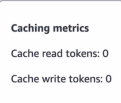
You can view how many tokens are being read from and written to the cache due
to each interaction with the model by viewing the Caching metrics
pop-up (
 ) in the playground responses.
If you turn off the prompt caching toggle while in the middle of a conversation, you can continue chatting with the model.