Getting Started
Submit an Evaluation Job Through SageMaker Studio
Step 1: Navigate to Evaluation From Your Model Card
After you customize your model, navigate to the evaluation page from your model card.
For information on open-weight custom model training: https://docs.aws.amazon.com/sagemaker/latest/dg/model-customize-open-weight-job.html
SageMaker visualizes your customized model on the My Models tab:
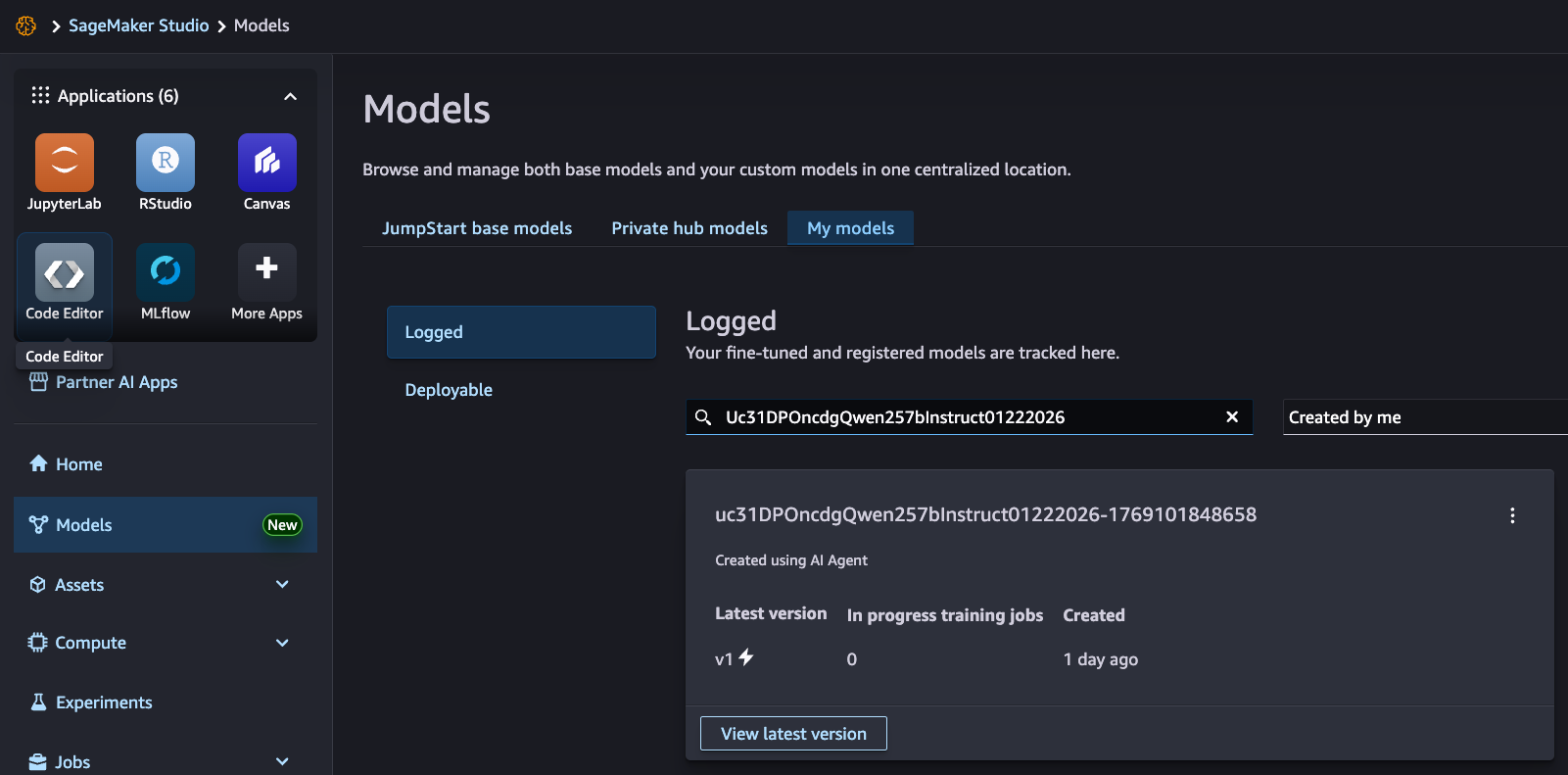
Choose View latest version, then choose Evaluate:
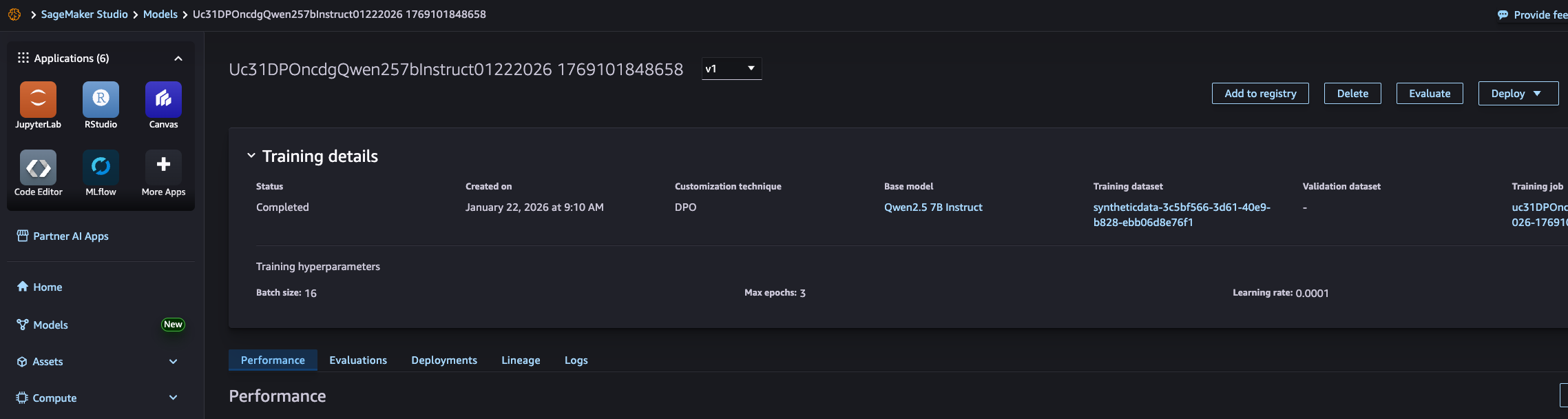
Step 2: Submit Your Evaluation Job
Choose the Submit button and submit your evaluation job. This submits a minimal MMLU benchmark job.
For information on the supported evaluation job types, see Evaluation types and Job Submission.
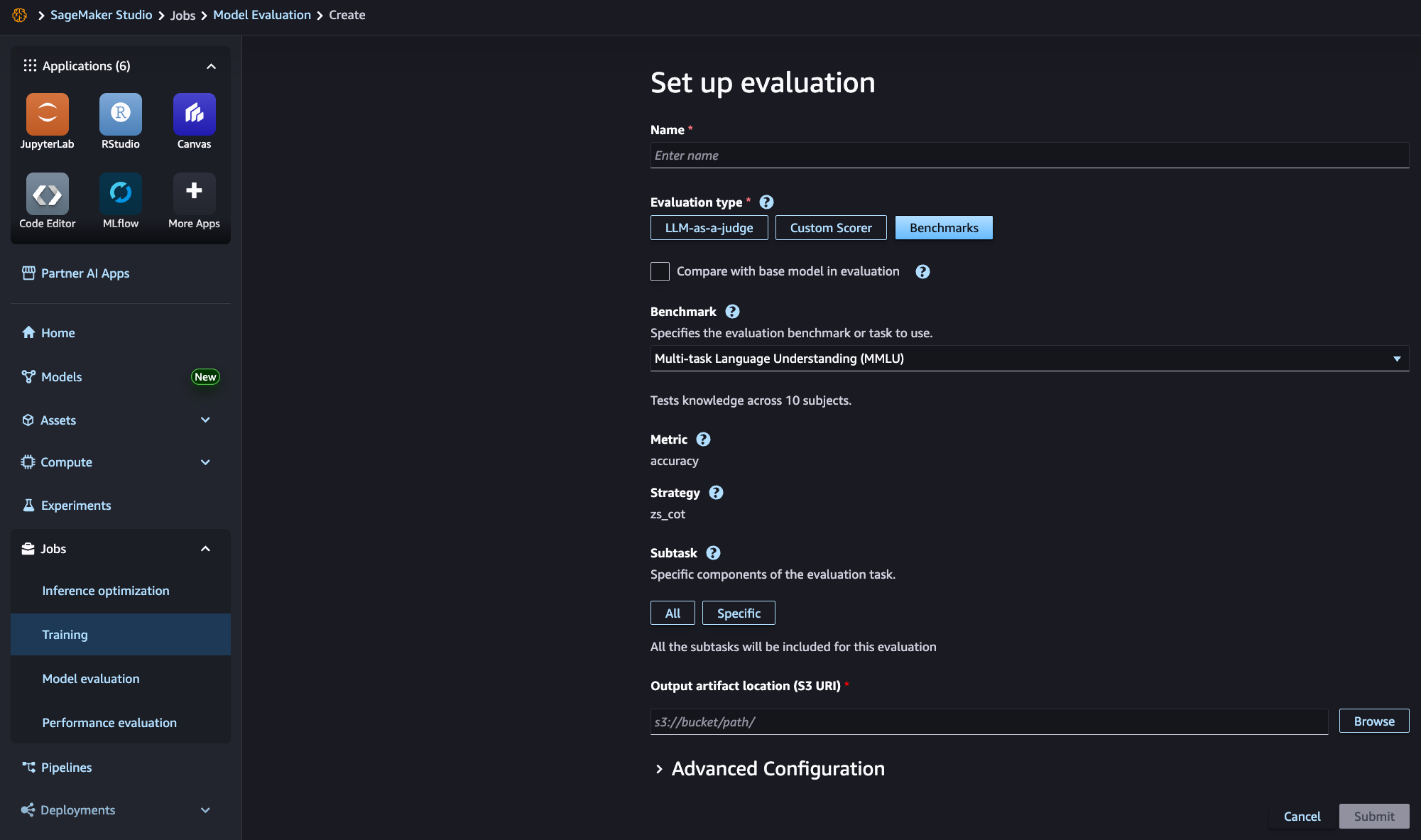
Step 3: Track Your Evaluation Job Progress
Your evaluation job progress is tracked in the Evaluation steps tab:
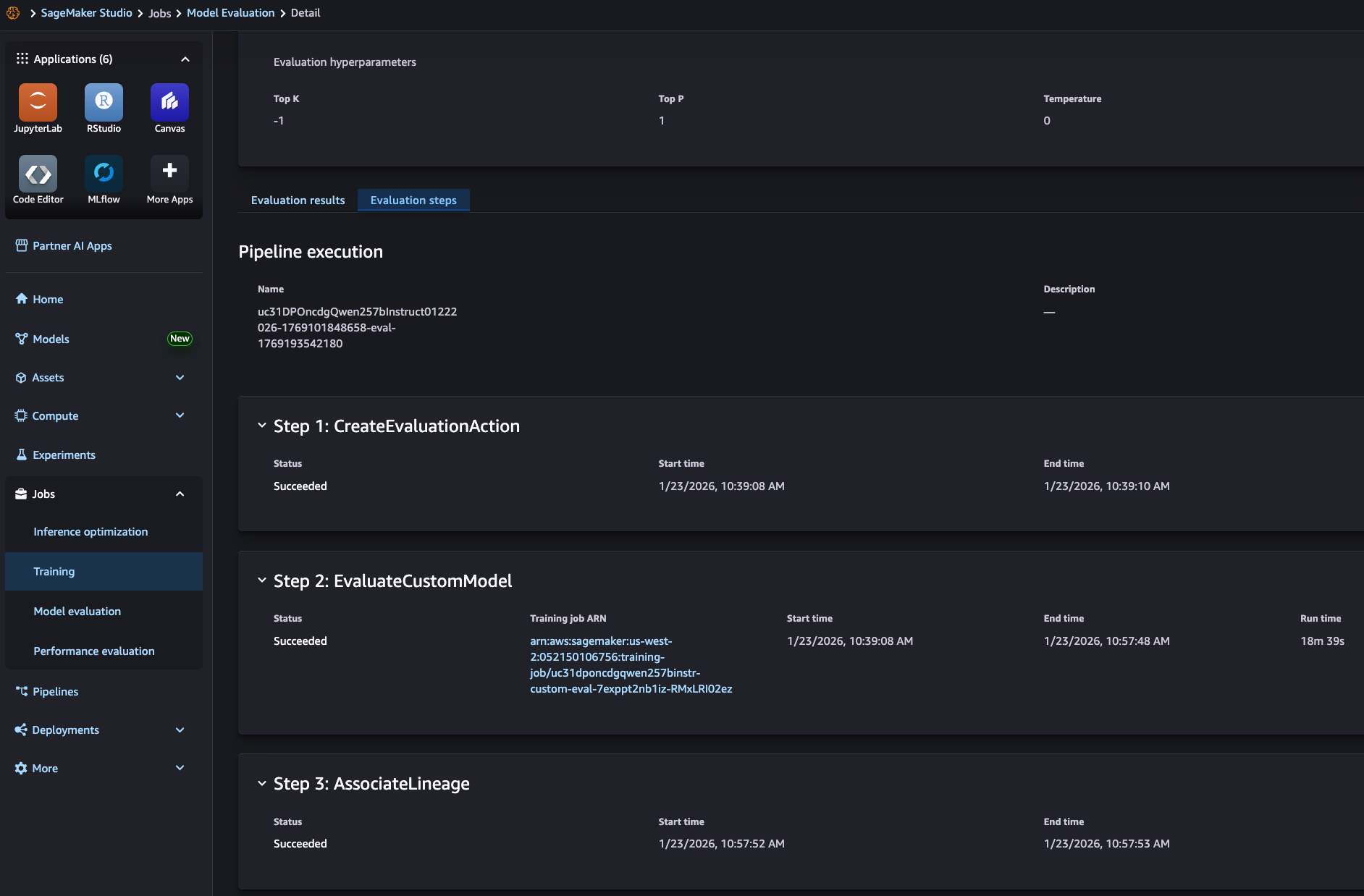
Step 4: View Your Evaluation Job Results
Your evaluation job results are visualized in the Evaluation results tab:
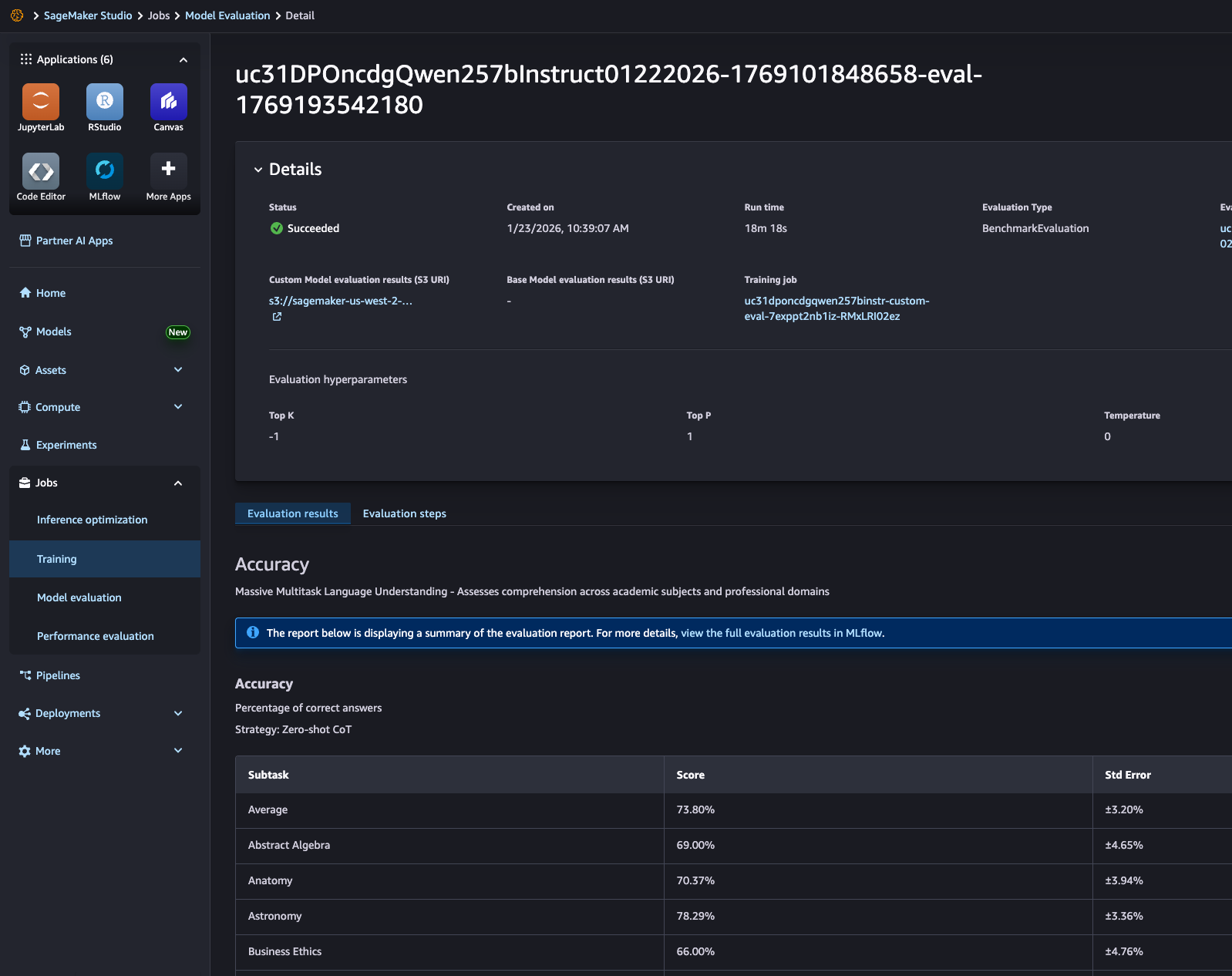
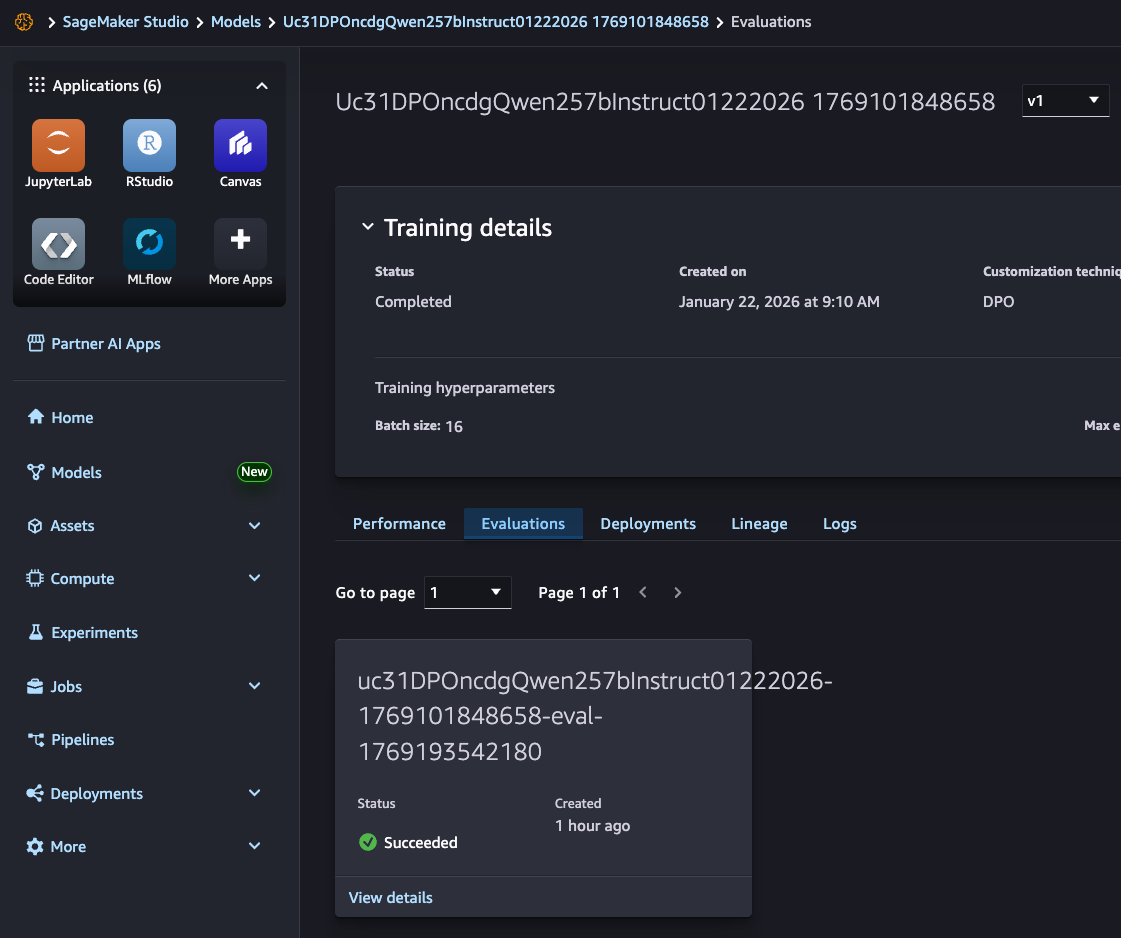
Step 5: View Your Completed Evaluations
Your completed evaluation job is displayed in Evaluations of your model card:
Submit Your Evaluation Job Through SageMaker Python SDK
Step 1: Create Your BenchMarkEvaluator
Pass your registered trained model, AWS S3 output location, and MLFlow resource ARN to BenchMarkEvaluator and then initialize it.
from sagemaker.train.evaluate import BenchMarkEvaluator, Benchmark

evaluator = BenchMarkEvaluator(
    benchmark=Benchmark.MMLU,
    model="arn:aws:sagemaker:<region>:<account-id>:model-package/<model-package-name>/<version>",
    s3_output_path="s3://<bucket-name>/<prefix>/eval/",
    mlflow_resource_arn="arn:aws:sagemaker:<region>:<account-id>:mlflow-tracking-server/<tracking-server-name>",
    evaluate_base_model=False
)
Step 2: Submit Your Evaluation Job
Call the evaluate() method to submit the evaluation job.
execution = evaluator.evaluate()
Step 3: Track Your Evaluation Job Progress
Call the wait() method of the execution to get a live update of the evaluation job progress.
execution.wait(target_status="Succeeded", poll=5, timeout=3600)
Step 4: View Your Evaluation Job Results
Call the show_results() method to display your evaluation job results.
execution.show_results()